School Story: A Vibrant Font for Creative Projects
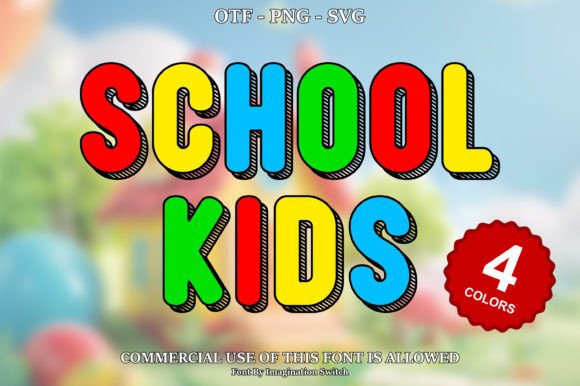
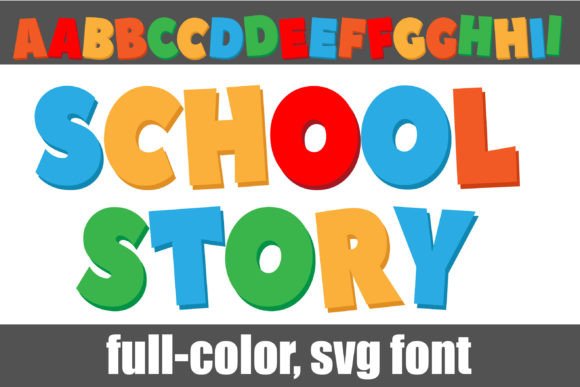
If you're searching for a typeface that brings energy and a playful, modern edge to your designs, the School Story font might be exactly what you need. This full-color, blocky sans serif is designed to make a bold statement, featuring a primary color palette that pops right off the screen or page. It’s more than just a font; it’s a design asset built for impact.
School Story is an OpenType full-color (SVG) font, which means the colors are embedded directly into the font file. This technology allows you to apply multi-colored letters with a single click, streamlining your workflow for projects like logo design, poster design, and social media graphics. The vibrant look is perfect for capturing attention in today’s visually crowded spaces.
Where This Creative Font Shines
Think about projects that need a dose of fun and personality. School Story is an excellent choice for:
- Brand Identity & Logo Design: Create a memorable and youthful logo for children's brands, educational apps, or playful startups.
- Packaging Design: Make product labels and boxes stand out on the shelf with colorful, eye-catching typography.
- Poster & Display Design: Its bold, blocky structure ensures readability from a distance, ideal for event posters and signage.
- Social Media Graphics & Web Design: Add instant visual interest to Instagram posts, website headers, and digital ads.
- Editorial & Invitations: Use it for chapter titles in magazines or the main text on party invitations to set a cheerful tone.
Practical Tips for Using School Story
Before you download or purchase, it’s helpful to understand how to get the most out of this premium font. First, always check the license to ensure it fits your intended use, whether for personal projects or commercial work.
Compatibility is key. As a full-color SVG font, it will show as solid black in programs that don't support color fonts. You’ll see the true colors in applications like Adobe Photoshop, Illustrator, Silhouette Studio, QuarkXPress, and Inkscape. The installation is straightforward—just like any standard .OTF font file, using FontBook on a Mac or your preferred font manager on Windows.
For the best results, pair School Story with a simple, clean sans serif or serif font for body text. This creates a balanced hierarchy, letting the colorful display font command attention for headlines while maintaining readability in longer passages. Test it in your design software; you’ll know the color is active when you see it applied to your text on the canvas.
Choosing the right typeface is fundamental to effective visual communication. A well-designed font like School Story provides the creative font flexibility needed to elevate your work, ensuring your designs look polished, professional, and full of personality. It’s a valuable addition to any designer's toolkit of modern typography and design assets.